HTTP vs HTTPS
A postcard or a sealed letter?
Once TCP and UDP had started to click, Montu piped up, "But Boltu, we never actually type TCP or UDP in the browser, we never even see them. Everywhere I look it's HTTP and HTTPS. What are those two, and what's the difference between them anyway?"
Hearing the question, Boltu said, "Look, TCP and UDP are the roads. And the vehicle you load your cargo onto and send down those roads, that's HTTP."
In the early days of the internet, everything ran on HTTP (Hypertext Transfer Protocol). But it had one big problem.
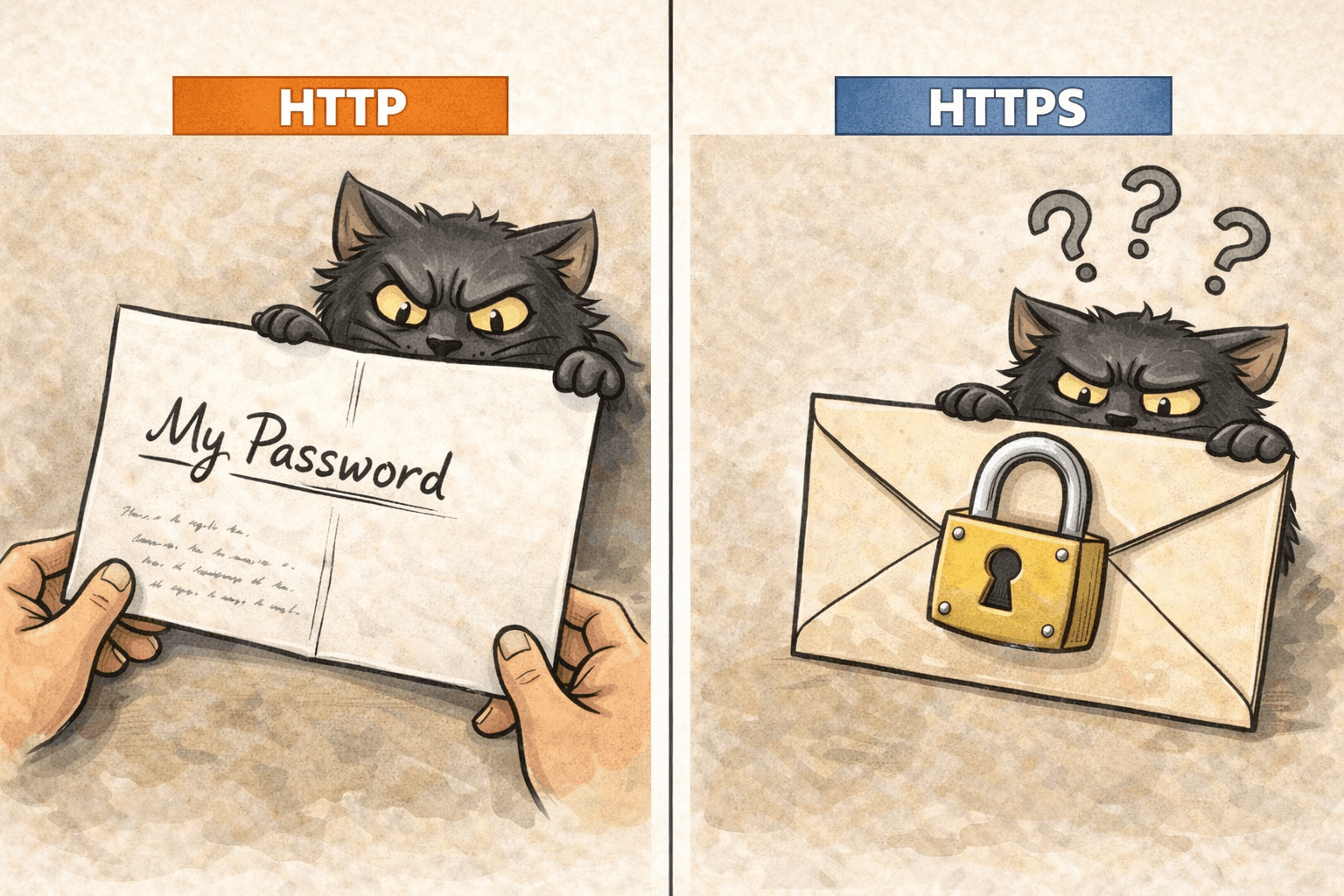
Boltu leaned in toward Montu and asked, "If you wrote your secret PIN or a love letter on an open postcard and mailed it off in the regular post, what would happen?" Montu's eyes went wide. "Disaster! Everyone from the mailman to the whole post office would read it!"
— "Exactly! HTTP is like that open postcard."
Why isn't HTTP safe?
When you visit a site over http:// and type in a password or credit card details, that information travels to the server as plain text, ordinary readable writing.
Hackers lie in wait along the route (this is called a Man-in-the-Middle Attack). They can simply read your open postcard and steal your password. No encryption, no lock and key, whatever you write is exactly what the hacker sees.
HTTPS: the sealed, secret letter
To fix this, along came HTTPS (Secure). That extra 'S' at the end stands for security.
It's like taking your letter, stuffing it into a sturdy envelope, gluing it shut, and slapping a lock on top.
- Encryption: when you type your password, HTTPS turns it from
123456into some gibberish likeaksjdh#@!skdjf. - Lock and key: the key that opens that information (the Decryption Key) exists only on your browser and that one specific server. Even if a hacker grabs the packet mid-route, they can't open the envelope. And if they somehow did, they'd just see gibberish and make no sense of it.
TLS/SSL: the security wizard
Montu asked, "Boltu, who actually puts that lock on?" Boltu said, "The mechanism that does the locking is called SSL (Secure Sockets Layer), or its newer version, TLS (Transport Layer Security)." SSL is pretty old now and a bit insecure. These days we all actually use TLS, but out of habit we still say SSL out loud.
In plain terms:
HTTP + TLS/SSL = HTTPS
These days, if you open a site over http://, the browser throws a red warning at you, "Not Secure! Do NOT enter your password here!" And if it's https://, you'll spot a neat little padlock icon in the address bar, meaning you're safe.
Montu's quick note: since BiralTube's users are going to log in, leaving it on HTTP is out of the question. He absolutely has to set up an SSL Certificate (free or paid) and move the site to HTTPS. Otherwise hackers will steal users' passwords and delete their cat videos!