Load Balancers Come in Many Flavors
Which one do you pick?
Montu decided he was setting up a load balancer. But the moment he went shopping for one (well, Googling it), his head started spinning! Hardware, software, cloud, DNS, Layer 4, Layer 7, so many kinds!
It felt like opening a giant biryani menu and freezing up, paralyzed by the options. Which one is perfect for BiralTube? In his usual style, Montu broke it all down into simple notes:
Hardware vs Software vs Cloud
Money vs hassle
-
Hardware load balancer: dedicated physical machines. A bit like installing a backup generator in your own house. Blazing fast, but seriously expensive. They're mostly bought by deep-pocketed players like banks, telecom companies, and big enterprises with their own data centres. Montu crossed it off right away.
-
Software load balancer: software you install on an ordinary computer (like Nginx or HAProxy). Cheap, flexible. But as traffic grows, there's the headache of upgrading and maintaining that machine yourself.
-
Cloud load balancer (AWS/Cloudflare): a blessing for startups like Montu's. Think of it like Uber. No need to buy a car, just open the app and hop in. Amazon or Cloudflare handles everything, and Montu just pays a monthly bill. Easy setup, low hassle. Montu put a mental checkmark right here.
DNS Load Balancing
Phonebook trickery
When we call someone, we pick a name, but the call actually goes to a number. DNS does the same thing, type biraltube.com and it hands back an IP address (a server's location).
With DNS load balancing, you can map several IP addresses to one name. — When User 1 visits, DNS gives them Server 1's address. — When User 2 visits, it gives them Server 2's address.
No extra hardware needed, dirt cheap. But here's the catch: DNS is dumb. It has no idea whether Server 1 has died. It'll blindly keep handing out a dead server's address. So Montu realized he couldn't lean on this one alone.
Layer 4 vs Layer 7
The courier vs the personal assistant
Montu noticed load balancers mostly come at two levels, Layer 4 and Layer 7. He flashed back to the OSI model from his networking class. But skipping the heavy theory, here's the practical version:
Layer 4 load balancer (the speedy courier): Say a delivery guy brings you a package. He only looks at the address on the outside (IP address and port) and drops it at the right door. What's inside, a letter or a bomb, he has neither the time nor the clearance to check.
- Pros: very fast. It doesn't open the package, so no time gets wasted.
- Cons: since it has no idea what's inside, it can't make smart decisions. (Sending
/videos/*requests to the video server and/api/*requests to the API server? Beyond its pay grade.)
Layer 7 load balancer (the smart personal assistant): These are like an office PA. When a letter arrives, they open the envelope and actually read it (checking the content, URL, cookies). If the letter says "I want to watch a video," it routes to the video server. If it says "I want to make a payment," it routes to the secure payment server.
- Pros: seriously clever. It understands what the user wants and picks the server to match.
- Cons: opening and reading the envelope takes time, so it's a touch slower than Layer 4.
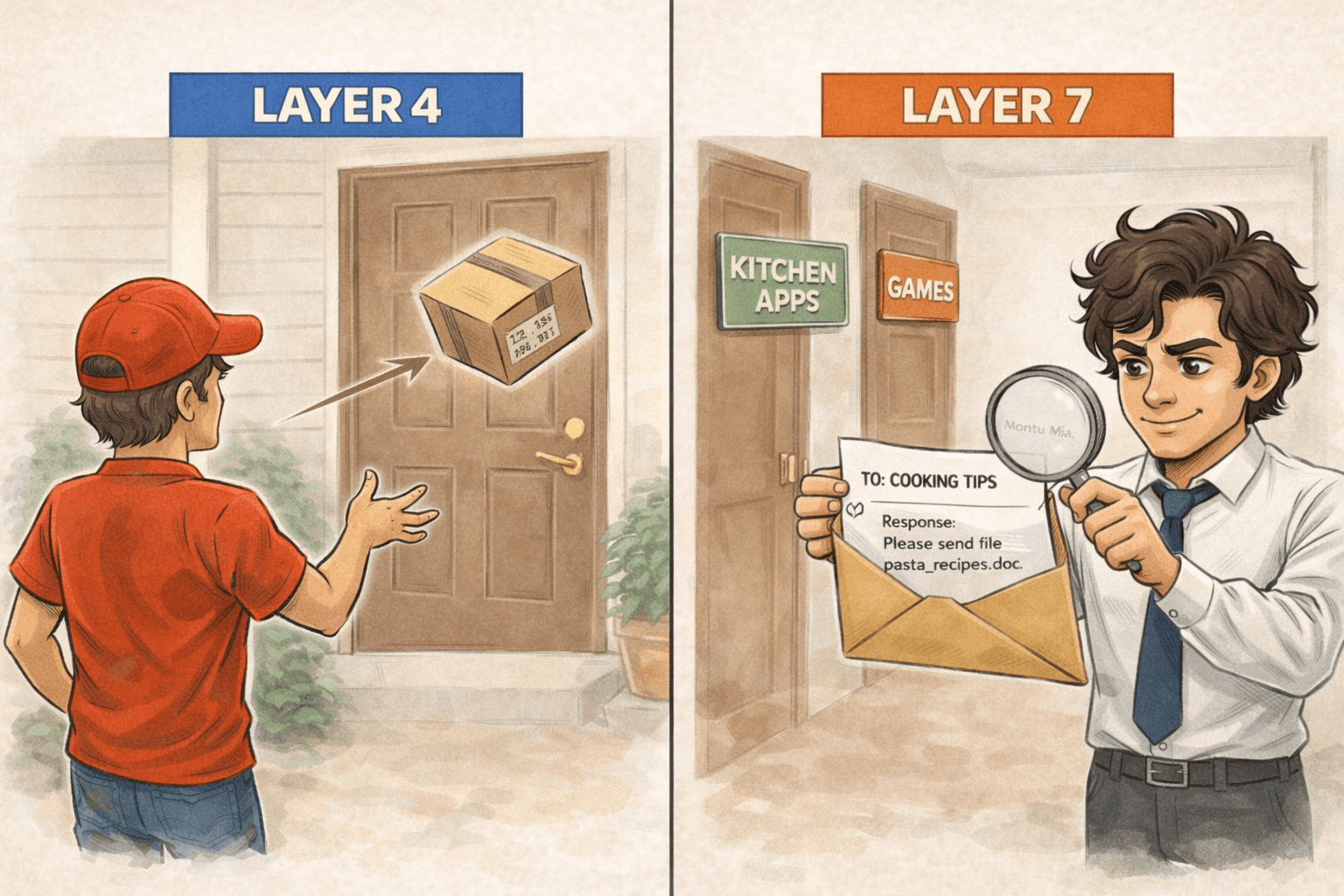
Montu made up his mind: to give BiralTube's users the best possible experience, he needed the 'smart assistant' (Layer 7), even if it ran a little slower.
Montu tidied all his notes into one place:
| Type | Pros | Cons | Best for |
|---|---|---|---|
| Hardware | Very fast, great performance | Expensive, not flexible | Large enterprise companies |
| Software | Cheap, flexible | Needs manual management | Techy startups |
| Cloud | Zero management, easy to scale | Monthly cost | Startups, small-to-mid businesses |
| DNS load balancing | Zero cost, easy setup | No health checks, caching issues | Personal projects, static sites |
| Layer 4 | Very fast | Can't do smart routing | Video streaming, game servers |
| Layer 7 | Smart, content-based routing | A bit slower, uses more resources | Web apps, API servers |